macOS · Full-featured Trial + Free Limited Version + Pro · Files & System · Utilities · Productivity
ByEase File Tools
Everything you need for batch PDF work, and more.
How it works
Pick files from one or more folders. Choose a tool. A few clicks and you get exactly what you expected.
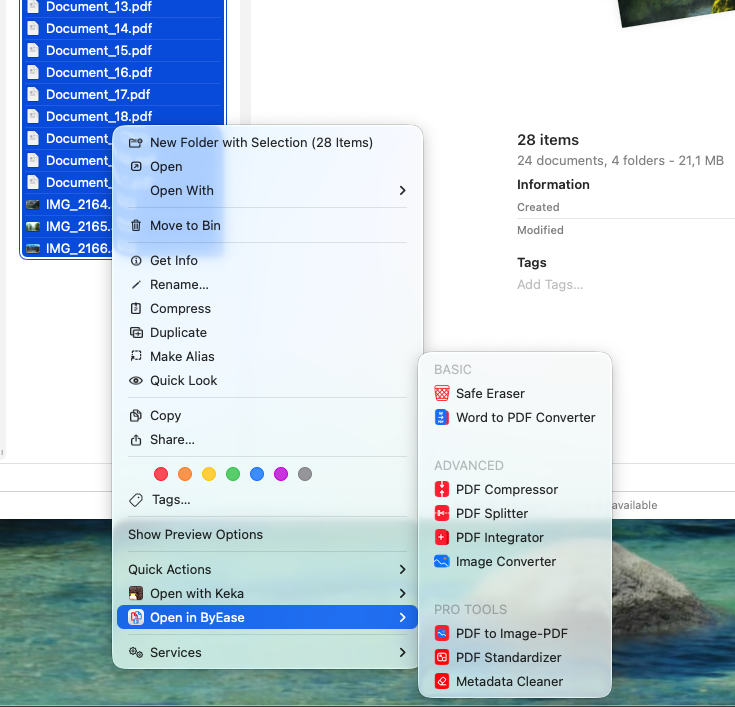
Finder Integration
Any tool launches straight from the right-click context menu — no need to open the main app window at all.
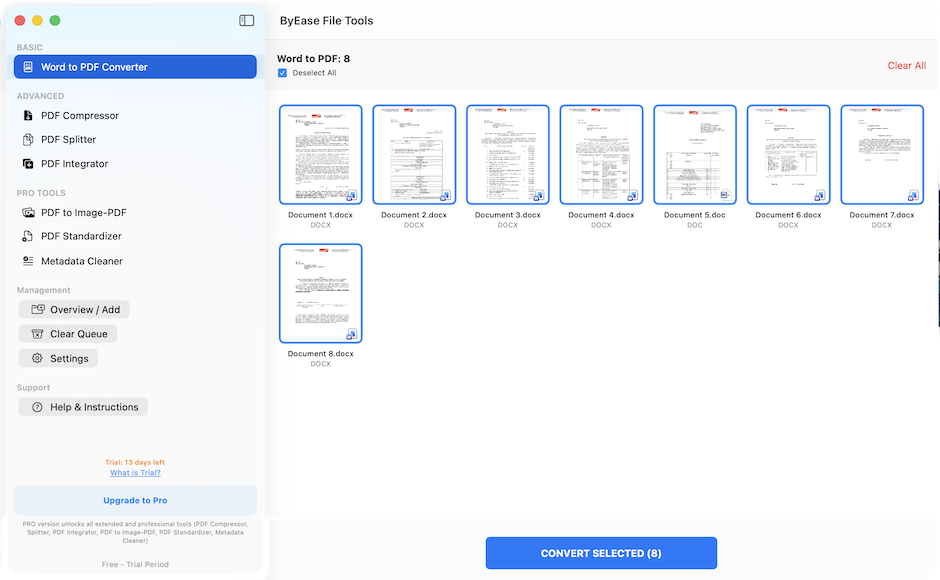
Batch Processing
10, 50, or 100 files — they're all processed at once.
Privacy
Everything runs 100% locally on your Mac. No clouds, no servers, no risk of your documents leaking anywhere.
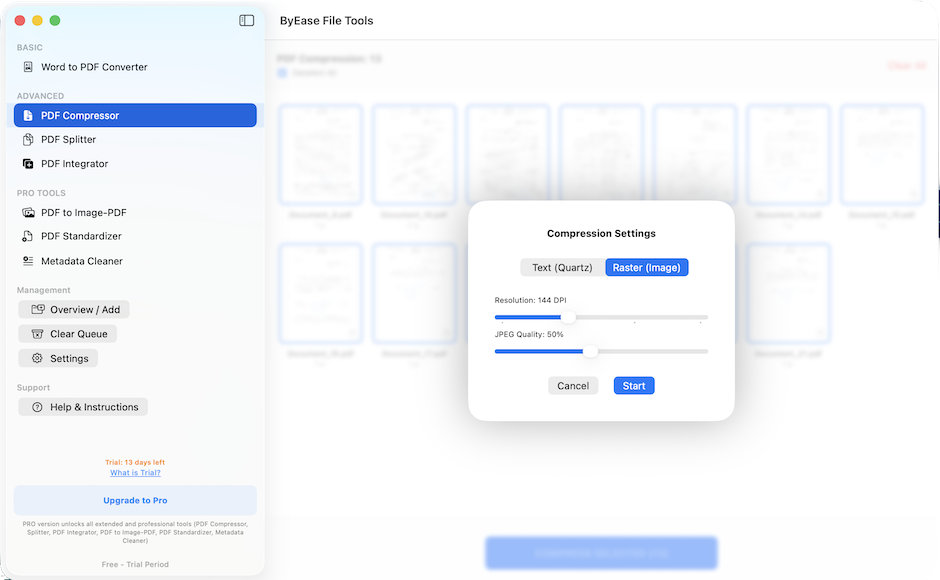
Speed
Any task is solved in literally 3–4 clicks.
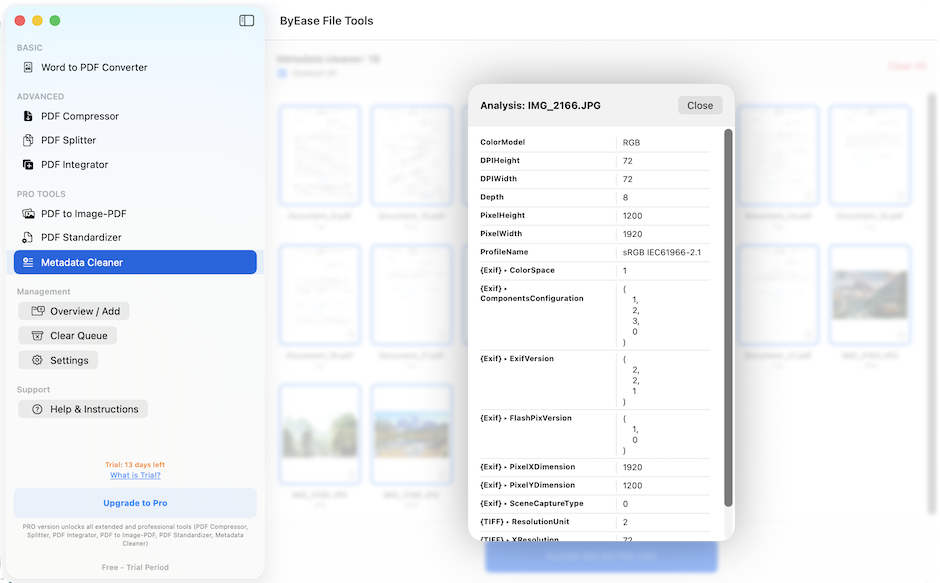
Everything you need in one app
- Secure Erase
Permanently wipe confidential data from your disk — unrecoverable even with specialized tools.
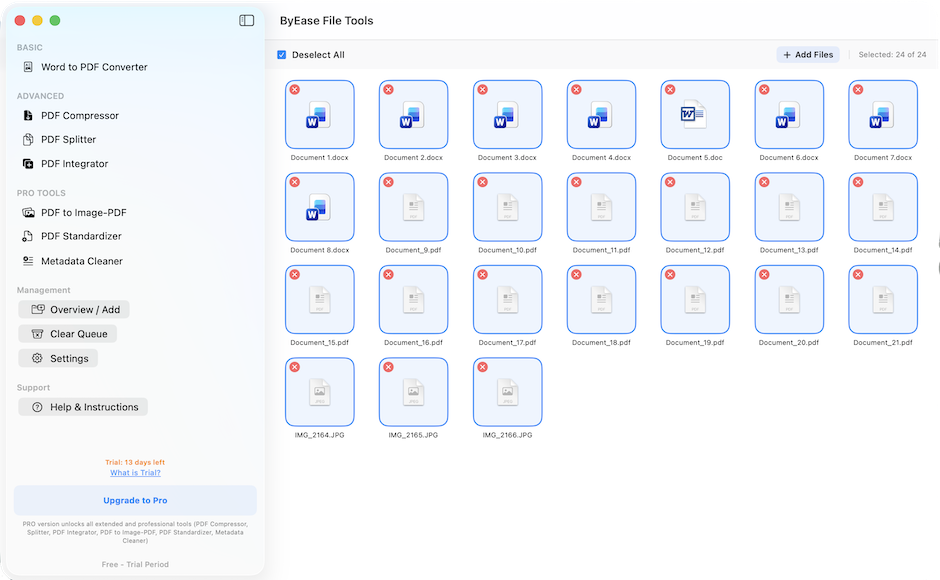
- Word to PDF
Batch-convert stacks of .doc and .docx files to high-quality PDFs.
- Compressor
Shrink heavy PDFs (compression quality is adjustable).
- Splitter
Cut multi-page PDFs into individual sheets (as PDF, JPEG, or PNG).
- Merger
Combine different PDFs and images into a single document.
- Image Converter
Universal tool for JPEG, PNG, HEIC, TIFF and WebP.
- Copy Protection
Converts a text PDF to a raster (image) so the text can't be copied.
- Standardizer
Intelligently converts mixed-size document pages to a uniform format (A4, A3 or Letter).
- Metadata Wiper
Removes GPS tags, authorship history and technical tags from photos and documents.
FAQ
Are the apps free?
Many are free; some offer an optional Pro upgrade. Never any ads or tracking.
Are my files uploaded to the cloud?
No. Everything runs locally on your device — your files never leave it.
How do you protect confidential documents?
We process everything on-device with no servers involved, so your data stays private by design.
Do you collect personal data?
No accounts, no analytics, no personal data collection.